Why does pseudocode confuse Python students?
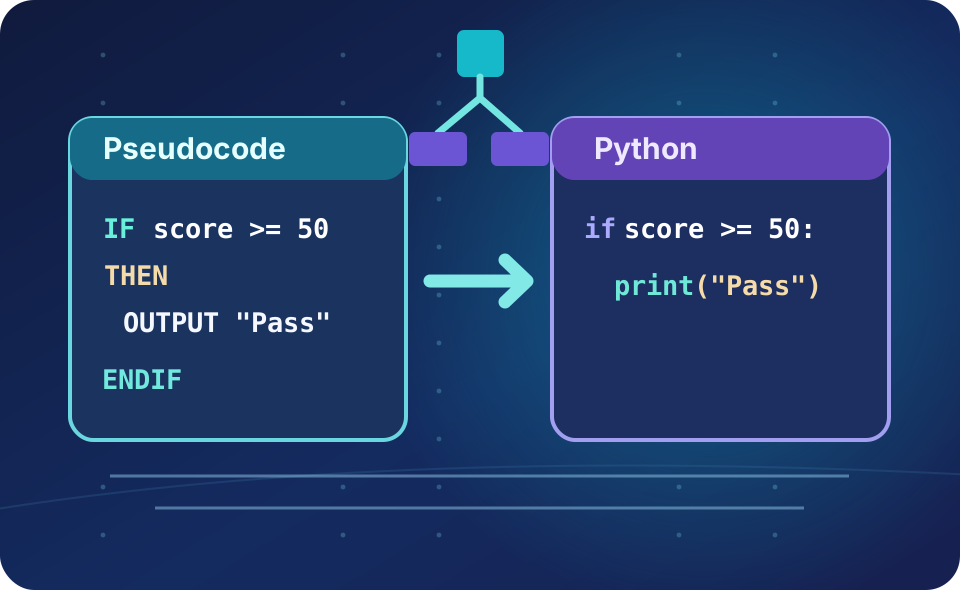
You may have spent two years learning Python, then open an exam paper and see IF, OUTPUT, a left arrow or ENDIF. It can look like an unfamiliar programming language. Usually it is not a new algorithm: it is a different way of describing a familiar algorithm.
Pseudocode is a human-readable way of writing the steps of an algorithm without committing to the exact syntax of a programming language. Python is an executable programming language: the computer enforces its grammar and punctuation. Exam boards use reference notations so students taught different languages can understand the same question.
Read the exam instruction before writing anything
Not every exam question accepts the same answer format. This distinction can cost marks even when a student's idea is correct.
| Specification | What you may see | What to remember |
|---|---|---|
| OCR GCSE J277 | OCR Exam Reference Language (ERL) in Paper 2 questions. | Section A often allows flexible descriptions. In certain Section B programming tasks, you must write recognisable ERL or a high-level programming language such as Python; informal pseudocode is not sufficient when code is required. |
| AQA GCSE 8525 | AQA standard pseudocode in algorithm questions; Python code in language-specific programming contexts. | Read the command carefully: the question may ask for pseudocode, program code or a flowchart. Respond in the form requested. If pseudocode is permitted, AQA does not require your answer to copy its exact house style. |
| OCR A-level H446 | Reference pseudocode in written assessments. | OCR states that candidates need not memorise its pseudocode syntax. A clearly understandable alternative pseudocode style can be acceptable when pseudocode is requested. |
| AQA A-level 7517 | Programming-language code and algorithms, including skeleton-program tasks on Paper 1. | Do not assume GCSE pseudocode conventions govern every A-level task. Check whether you are expected to write, amend or explain code in your chosen programming language. |
Official guidance: OCR J277 specification — programming assessment, AQA GCSE programming specification, OCR H446 specification and AQA A-level assessment overview. The tables and examples below are independently written TutorSyntax learning examples, not reproduced examination questions.
Translate the notation, not the algorithm
Start by recognising the purpose of each statement: assign a value, read input, display output, compare two values, make a choice or repeat a process. The table is a quick teaching aid—always consult your exam board's current reference sheet for its full syntax.
| Meaning | Python | OCR GCSE style | AQA GCSE style |
|---|---|---|---|
| Assign a value | score = 5 | score = 5 | score ← 5 |
| Test for equality | score == 5 | score == 5 | score = 5 in a condition |
| Display a result | print(score) | print(score) | OUTPUT score |
| Read user input | input() | input(...) | USERINPUT |
| Start selection | if x > 3: | if x > 3 then | IF x > 3 THEN |
| Close selection | Dedent | endif | ENDIF |
| Count-controlled loop | for i in range(...): | for i = 1 to 4 … next | FOR i = 1 TO 4 … ENDFOR |
| Condition-controlled loop | while ...: | while ... … endwhile | WHILE ... … ENDWHILE |
| Remainder | % | MOD | MOD |
| Integer division | // for typical positive integers | DIV | DIV |
The DIV comparison is a useful first approximation for the non-negative integer examples used here. Python's // has specific floor-division rules for negative values; do not treat the notations as universally identical for every language and data type.
Three worked examples: same logic, different notation
Read the examples from left to right. Say aloud what is assigned, which comparison is made and when a variable changes. The pseudocode columns illustrate the boards' styles using our own simple algorithms.
Selection — choosing between outcomes
Python 3
mark = 64
if mark >= 50:
    print("Pass")
else:
    print("Try again")
Runnable example
OCR GCSE J277 — ERL style
mark = 64
if mark >= 50 then
    print("Pass")
else
    print("Try again")
endif
Illustrative OCR-style notation
AQA GCSE 8525 — pseudocode style
mark ← 64
IF mark ≥ 50 THEN
    OUTPUT "Pass"
ELSE
    OUTPUT "Try again"
ENDIF
Illustrative AQA-style notation
In Python, : starts each indented block. The OCR reference-language style marks an if block with then and endif. The AQA style capitalises the keywords and uses a left-arrow for assignment. All three display Pass.
Count-controlled loops — pay attention to the endpoint
Python 3
for number in range(1, 5):
    print(number)
Runnable example
OCR GCSE J277 — ERL style
for number = 1 to 4
    print(number)
next
Illustrative OCR-style notation
AQA GCSE 8525 — pseudocode style
FOR number = 1 TO 4
    OUTPUT number
ENDFOR
Illustrative AQA-style notation
All three examples display 1, 2, 3, 4. Python’s range(1, 5) stops before 5. These to 4 reference-language loops include 4. This is one of the highest-value distinctions to practise.
Condition-controlled loops — track the changing variable
Python 3
total = 0
while total < 6:
    total = total + 2
print(total)
Runnable example
OCR GCSE J277 — ERL style
total = 0
while total < 6
    total = total + 2
endwhile
print(total)
Illustrative OCR-style notation
AQA GCSE 8525 — pseudocode style
total ← 0
WHILE total < 6
    total ← total + 2
ENDWHILE
OUTPUT total
Illustrative AQA-style notation
The condition is checked before each repetition. The values become 2, 4 and 6, then the condition is false. Each version displays 6.
Seven traps students can avoid
- Forgetting that Python stops early:
range(1, 5)generates 1–4, not 1–5. Check whether a pseudocodeTOendpoint is included. - Confusing assignment and comparison: a left arrow gives a variable a value;
==in Python tests if two values are equal. - Reading the variable once and stopping: in loops, trace how its value changes every iteration.
- Missing block endings:
ENDIF,ENDWHILE,ENDFORornextcan replace the block boundaries shown by Python indentation. - Treating pseudocode as runnable Python:
OUTPUTandUSERINPUTare not Python functions. - Assuming every answer may be written in English: obey a request for a high-level program or OCR ERL in a syntax-assessed task.
- Ignoring data types: Python
input()returns text. Numeric calculations usually need conversion, such asint(input(...)).
Worked trace table — read the values, not the vocabulary
The following is an original AQA-style teaching example. What value does it display?
total ← 1
FOR count = 1 TO 3
    total ← total + count
ENDFOR
OUTPUT total| Stage | count | total | Why? |
|---|---|---|---|
| Initial value | — | 1 | Variable assigned |
| Iteration 1 | 1 | 2 | 1 + 1 |
| Iteration 2 | 2 | 4 | 2 + 2 |
| Iteration 3 | 3 | 7 | 4 + 3 |
| Final output | — | 7 | Loop complete |
Python translation:
total = 1
for count in range(1, 4):
    total = total + count
print(total)  # 7
Try an original exam-style practice question
Choose a board to practise recognising the different notation. These are TutorSyntax questions, not official or past-paper questions. Feedback explains the logic as well as the correct answer. No account is needed and answers are not uploaded.
Loading original practice questions…
Written translation challenge — 4 marks
Translate the following into runnable Python, preserving the same output for the same value of age.
age ← 16
IF age ≥ 16 THEN
    OUTPUT "Eligible"
ELSE
    OUTPUT "Not eligible"
ENDIF
Reveal worked Python answer and marking guidance
age = 16
if age >= 16:
    print("Eligible")
else:
    print("Not eligible")
Indicative mark points (1 each): correct assignment; correct condition; correct Python if/else structure; correct output in each branch. This is our own formative guidance, not an official mark scheme.
Output prediction — 3 marks
Trace this original OCR-style algorithm. State the displayed value, and explain why the loop stops.
points = 1
while points < 10
    points = points * 2
endwhile
print(points)
Reveal answer and reasoning
The values become 2, 4, 8 and 16. The output is 16 (1 mark); the condition is checked before each iteration (1 mark); when points is 16, points < 10 is false, so the loop stops (1 mark).
Five steps to use in an exam
- Underline the required format: code, pseudocode, trace table, explanation or flowchart.
- Identify the construct: assignment, selection, iteration, arrays or subroutine.
- Write down starting values: note each variable and the type of input where relevant.
- Trace one line at a time: ask when each condition is true and when the loop ends.
- Check your response: if Python code was requested, use Python syntax; if a description was requested, explain clearly and precisely.
Independent educational resource by TutorSyntax, not endorsed by OCR or AQA. This guide is designed for GCSE learners and includes short A-level notes; always follow the wording of your current exam-board specification and question paper.